
The Anatomy of a CNC Wood Router
How does the core hardware of a CNC wood machine work?
The Frame and Machine Bed
The foundation of any reliable 3-axis CNC router is its structural rigidity. If the frame flexes under heavy loads, your accuracy vanishes. We build our machines with heavy, welded steel frames to absorb vibrations during high-speed cutting.
Once the frame is solid, you need a reliable way to secure your material. We generally use two primary table setups:
- T-Slot Tables: Mechanical clamps lock the wood down manually. This is an affordable, highly dependable option for custom shapes and thicker timber.
- Vacuum Table Hold-Down: The industry standard for high-efficiency shops. High-powered pumps pull air through a breathable spoilboard management setup, instantly locking down large sheets of plywood or MDF without clamps getting in the way of the cutting tool.
The Gantry System
Think of the gantry system as the overhead bridge of the machine. It spans across the entire width of the machine bed, riding on precision linear guide rails. Because it carries the weight of the Z-axis and the heavy high-speed spindle, the gantry must be incredibly rigid. A well-engineered gantry allows for rapid, stable movement across the workspace without bending or shaking, ensuring your cuts stay perfectly clean.
The Three Cartesian Axes (X, Y, and Z)
A standard wood router moves across three dimensions using the Cartesian coordinate system. The controller reads your G-code commands and translates them into precise physical movement along three distinct pathways:
- X-Axis: Moves the cutting assembly left-to-right across the gantry.
- Y-Axis: Moves the entire gantry system front-to-back along the length of the machine bed.
- Z-Axis: Controls the vertical depth, moving the cutting tool up and down to manage plunge depths and 3D carving layers.
The High-Speed Spindle
The spindle is the heart of the cutting action. It holds the router bits and spins them at incredible speeds to shave away wood fibers cleanly. When evaluating a spindle, we look at horsepower, RPM ranges, and how the motor stays cool.
| Cooling Type | Best For | Key Advantage |
|---|---|---|
| Air-Cooled Spindle | Standard wood shops, dust-heavy environments | Low maintenance, simple setup, cannot leak |
| Liquid-Cooled Spindle | Continuous industrial production, quiet operation | Superior temperature control, longer bearing life |
Drive Motors
To move the axes, the machine relies on drive motors. The choice here dictates the speed, precision, and cost of your machine.
- Stepper Motors: An excellent, budget-friendly choice for entry-to-mid-level routing. They move in fixed increments (steps). While highly precise, they run on an "open-loop" system, meaning the controller assumes the motor went where it was told without actual confirmation.
- Closed-Loop Servo Motors: The gold standard for high-end industrial production. These motors feature continuous feedback loops. If the machine encounters a hard knot in the wood, the encoder instantly corrects the position. This prevents missed steps, allows for much higher travel speeds, and delivers flawless precision engraving every single time.
The Software Ecosystem
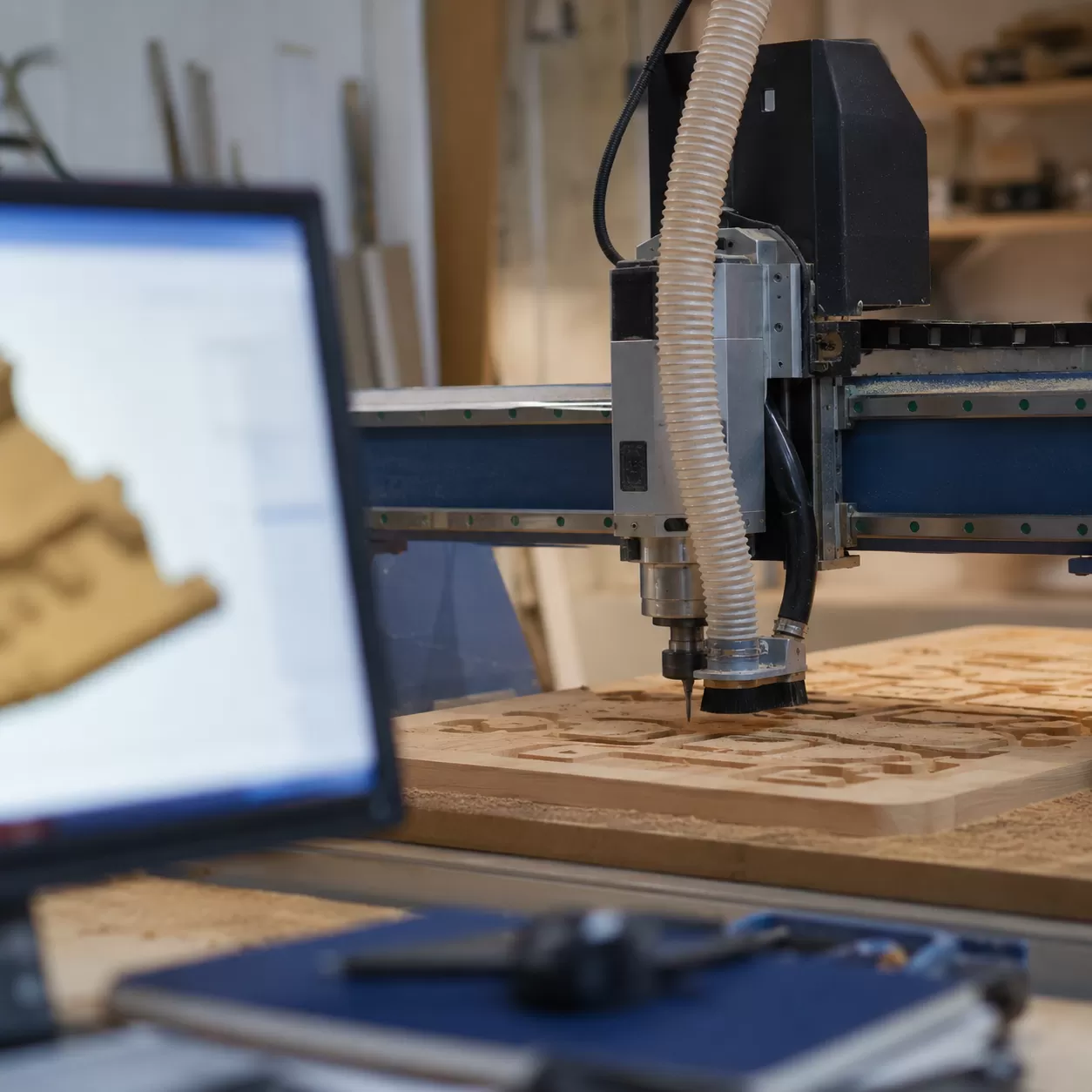
Before a 3-axis CNC router can ever touch a piece of wood, it needs a digital roadmap. As a manufacturer, we always tell our clients that the physical machine is only as good as the instructions it receives. This digital pipeline relies on a specialized software ecosystem to turn raw concepts into flawless physical products.
Step 1: CAD Drawing (Computer-Aided Design)
Every project begins with a CAD drawing. This is where we create the digital blueprint of the workpiece, using 2D vectors for flat cutting or complex 3D models for detailed carving. This step establishes the precise geometries, dimensions, and tolerances of the final piece.
- 2D Vectors: Ideal for cabinet components, signs, and flat nesting layouts.
- 3D Models: Essential for complex moldings, furniture legs, and precision engraving.
Step 2: CAM Software (Computer-Aided Manufacturing)
Once the design is locked in, it moves into the CAM software. This is where the digital model transitions into physical strategies. The software calculates exactly how the machine will execute the design, allowing us to program automated toolpaths, set cutting depths, and determine how the cutting tool approaches the wood.
To get the most out of your machinery, understanding how to program a CNC machine is critical for maximizing material yield and reducing cycle times.
Step 3: G-code Generation
The final step in the digital pipeline is generating the G-code commands. This is the universal machine language that bridges the gap between software and hardware. The G-code tells the high-speed spindle and drive motors exactly where to move along the X-axis, Y-axis, and Z-axis, and precisely how fast to get there.
| Software Stage | Core Function | Output |
|---|---|---|
| CAD | Designing the visual geometry | DXF, DWG, or 3D Model files |
| CAM | Defining machining strategies | Toolpath data and speed settings |
| G-code | Translating data for the controller | NC or G-code machine files |
Choosing the right platform for these steps simplifies production significantly. You can explore our breakdown of industry-standard options in this guide to CNC software resources to streamline your workflow from design to finished cut.
The Complete CNC Woodworking Workflow

Operating a Computer Numerical Control (CNC) router requires a systematic approach to transform a digital model into a perfectly carved physical piece. Following a disciplined workflow ensures precision, protects the equipment, and maximizes workshop efficiency.
Phase 1: Material Preparation and Fixturing
The process begins by selecting the stock material and prepping the machine bed. The wood must be flat and securely locked down to prevent any shifting during high-speed cutting.
- Stock Inspection: Check the wood for warping, knots, or embedded debris that could ruin the cut.
- Spoilboard Management: Ensure the sacrificial MDF spoilboard is surfaced flat to maintain uniform depth across the entire working area.
- Fixturing Methods: Secure the material using mechanical clamps, t-tracks, or turn on the vacuum table hold-down system for maximum grip on large sheet goods.
Phase 2: Tooling Selection
Choosing the correct CNC cutting tool or router bit directly impacts the edge quality and processing speed. Different geometries serve specific roles in the machining process.
| Tool Type | Primary Use Case | Woodworking Benefit |
|---|---|---|
| Upcut Spiral | Rapid material removal, pocketing | Excellent chip evacuation, pulls dust upward |
| Downcut Spiral | Shallow profiling, laminates, veneers | Pushes chips downward, leaves a clean top surface |
| Compression Bits | Cutting plywood, MDF, nested panels | Combines upcut and downcut actions for fray-free edges |
| V-Bit Packers | Precision engraving, signs, lettering | Creates sharp, detailed bevels and 3D texturing |
Phase 3: Work Coordinate Setup (Zeroing the Machine)
Before running the program, the 3-axis CNC router needs to know exactly where the raw material is located on the machine bed. This requires defining the work coordinate system (WCS).
- Locating X-axis and Y-axis Zero: Align the spindle with the designated starting corner (usually the front-left) of the workpiece.
- Setting the Z-axis Zero: Use a digital touch plate or manual feeler gauge to accurately establish the tool tip position relative to the top surface of the wood or the top of the spoilboard.
Phase 4: Executing the Cut
With the work coordinates established, load the compiled G-code commands into the machine control system.
Important Safety Note: Always turn on the dust extraction system before starting the spindle to manage fine wood dust and maintain a clean cutting path.
Once verified, initiate the cycle. The high-speed spindle will spin up to its programmed RPM, and the gantry system will guide the tool through the pre-calculated automated toolpaths. Monitor the initial passes closely to verify the chip load calculation is correct and the machine is cutting smoothly without excessive vibration. For high-volume production setups, utilizing a heavy-duty industrial machine like our 1325 CNC wood router helps streamline this execution phase with reliable, automated consistency.
Why Industrial Shops Choose Heavy-Duty Wood Routers
High-volume production demands speed, accuracy, and durability. Industrial shops rely on heavy-duty furniture CNC router setups because manual woodworking simply cannot compete with automated precision.
Key Advantages of Heavy-Duty CNC Wood Routers
- Unmatched Repeatability: Eliminates human error entirely. Whether cutting the 1st part or the 10,000th part, the computer numerical control system ensures every single piece matches the exact CAD drawing specifications.
- Material Versatility: These machines handle a massive range of materials effortlessly. They deliver clean cuts on hardwoods, softwoods, plywood, MDF, acrylics, and structural plastics.
- Advanced Efficiency: Industrial configurations support nested manufacturing, allowing shops to maximize material yield and reduce waste.
Impact of Industrial Upgrade Features
| Advanced Option | Core Benefit | Manufacturing Impact |
|---|---|---|
| Automatic Tool Changer (ATC) | Swaps cutting tools and router bits automatically in seconds. | Eliminates manual stop time; allows complex profiling, drilling, and pocketing in a single cycle. |
| Multi-Spindle Configurations | Runs multiple high-speed spindle motors simultaneously. | Multiplies production output by carving or cutting identical parts at the exact same time. |
| Heavy Rigid Gantry | Minimizes machine vibration during high-speed travel. | Ensures flawless edge finish and extends the working lifespan of the tooling. |
By automating toolpaths and optimizing material handling, industrial shops maintain a massive competitive edge, slashing lead times while keeping part quality flawless.